
 ES







Design Virtual Care That Protects Employee Privacy
Workplace telehealth works better when access is voluntary, conversations stay private, and managers receive only appropriate information.
Privacy must be part of the benefit design
Employer-sponsored virtual care can reduce a practical barrier. Employees may be able to seek appropriate non-emergency care without traveling across town or spending a large part of the day away from work.
Convenience alone does not create trust.
An employee who thinks a manager can overhear the appointment, view a diagnosis, or judge whether the visit was necessary may avoid the service or withhold important information.
The VirtualCare2go Employer Service page describes employer arrangements that can include virtual appointments and different payment pathways. Exact services, eligibility, funding, scheduling, privacy practices, and reporting should be confirmed in the employer’s written agreement.
A strong program separates three functions:
- The employer makes access possible
- The healthcare provider makes clinical decisions
- The employee controls the private patient conversation, subject to applicable law and emergency circumstances
Make routine access genuinely voluntary
Employees should understand whether using the program is optional and what alternatives remain available.
An invitation should explain:
- Who is eligible
- Which services are available
- Whether household members qualify
- How employees book directly
- Whether the employer pays any part of the cost
- What the employee may owe
- Whether other providers remain available
- What information the employer receives
- How accessibility support is requested
- Where privacy notices can be reviewed
Avoid requiring employees to tell supervisors their diagnosis or detailed reason for a routine appointment.
A normal request for time away may be sufficient under workplace policy. Questions about leave, accommodation, fitness for duty, workers’ compensation, or required occupational examinations belong in a separate process designed with appropriate human-resources and legal guidance.
Voluntary personal care should not quietly become a health-screening mechanism for management.
Build a private place, not merely a video station
A laptop in an open breakroom is not a private telehealth benefit.
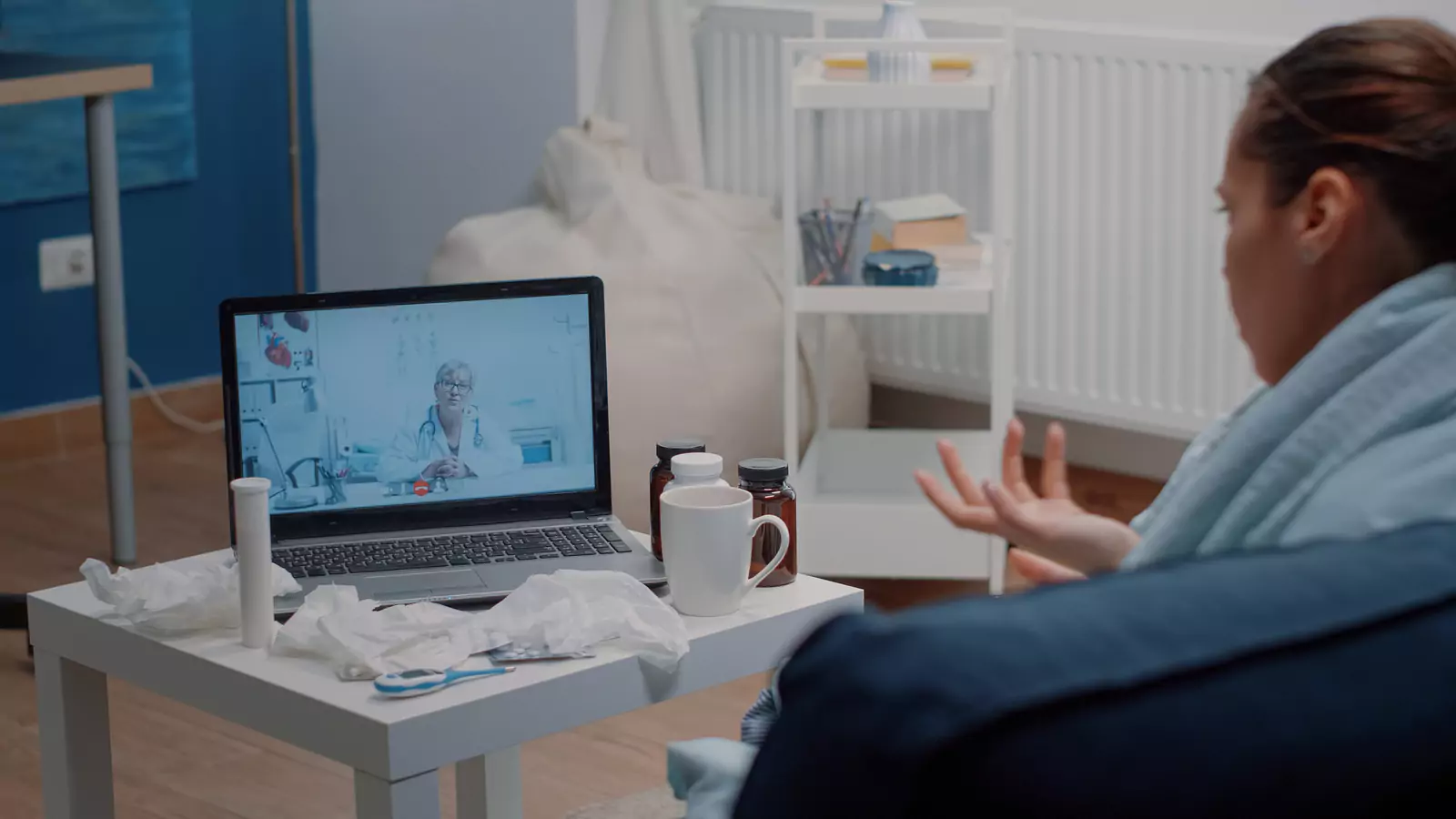
HHS advises telehealth patients to use a private location where they can control who hears and sees the conversation. When perfect privacy is unavailable, safeguards may include headphones, careful screen positioning, avoiding speakerphone, and moving away from others.
Employers can review the HHS telehealth privacy guidance.
A workplace telehealth area should have:
- A door or strong acoustic enclosure
- An occupancy indicator
- No employer-controlled camera inside
- No smart speaker or voice assistant
- A screen positioned away from foot traffic
- Cleanable headphones
- Reliable connectivity
- Good lighting
- Time between bookings
- An alternative for employees who prefer another location
Do not place the room next to a supervisor’s desk, security checkpoint, or high-traffic gathering area. Employees may reasonably infer monitoring even when none is intended.
Signs outside the room should contain only operational instructions, not information that encourages coworkers to guess why someone is seeking care.
Let employees control devices and accounts
The safest workflow minimizes employer access to the employee’s clinical account.
Whenever possible, the employee should enter personal information directly into VirtualCare2go’s systems rather than giving it to a manager, supervisor, or benefits coordinator.
VirtualCare2go describes its process on the How It Works page. Employees should also review current platform instructions and privacy notices.
For a shared device:
- Use a guest profile
- Prevent saved passwords
- Clear downloads
- Clear cached files when appropriate
- Disable unnecessary cloud backups
- Avoid work email unless required
- Prevent previous users from remaining signed in
- Block screen recording and remote viewing
- Keep security software current
- Provide a way to report technical concerns
If the employer’s technology team can monitor the device or network, disclose that limitation clearly. The employee may choose a personal device or another private location.
Employees should also turn off nearby devices that could overhear and avoid recording the clinical encounter without authorization.
Keep managers outside the clinical encounter
A manager may approve time, share booking instructions, or help locate a private room. The manager should not join the visit, request a diagnosis, review the clinical screen, or pressure the clinician for details.
The EEOC explains that employee medical information obtained by an employer generally must be kept confidential and separate from ordinary personnel records, subject to limited exceptions.
Employers should review the EEOC confidentiality guidance and obtain qualified advice for their circumstances.
Train supervisors to use clear language:
- “Here is the private booking link.”
- “You do not need to tell me your diagnosis.”
- “Contact human resources if you need leave or an accommodation.”
- “Use the workplace emergency process if this may be an emergency.”
Managers should avoid asking whether the clinician prescribed medicine, whether the employee was “really sick,” or what was discussed during the appointment.
Use aggregate reporting carefully
Employers may want to know whether a benefit is being used. Reports should reduce the risk of identifying individual employees.
Potential measures include:
- Overall enrollment
- Total visits over a broad period
- Technical-support themes
- De-identified satisfaction information
- General access barriers
- Appointment completion rates
Avoid:
- Small-group diagnosis reports
- Team-level clinical patterns
- Individual medication information
- Clinical notes
- Lists of employees who did not use the benefit
- Data that could be combined to identify one person
- Manager access to individual appointment history
Document:
- What information the employer receives
- Why it is needed
- Who can access it
- How long it is retained
- Whether it can be combined with other data
- How incidents are handled
- How employees can raise concerns
A benefits dashboard should not be used to judge an individual’s health behavior, attendance, reliability, or work performance.
Separate personal care from occupational health
Personal virtual care, occupational medicine, workers’ compensation, return-to-work evaluation, drug testing, and fitness-for-duty decisions serve different purposes.
A routine VirtualCare2go appointment does not automatically:
- Determine whether a condition is work-related
- Satisfy an occupational examination
- Establish a workers’ compensation claim
- Certify fitness for duty
- Replace an exposure-response process
- Provide every leave or accommodation document
- Replace hands-on care when required
Publish separate pathways for personal telehealth and occupational matters.
Employees should know when an issue must be reported through workplace safety, human resources, occupational health, or workers’ compensation procedures.
Give emergencies a direct exit
VirtualCare2go’s FAQ instructs patients not to use the service for emergencies.
Employees should bypass virtual booking for severe chest pain, major breathing difficulty, stroke signs, loss of consciousness, uncontrolled bleeding, a severe allergic reaction, major trauma, or another life-threatening condition.
The private room should display the workplace’s complete address and emergency-call instructions. Managers and coworkers should follow the workplace emergency plan rather than waiting for a virtual clinician.
Employees should also know how to leave the room quickly and how emergency responders will reach the location.
Make access practical without exposing the patient
Before launching the program, test whether employees can:
- Learn about the benefit without disclosing a condition
- Book without sending medical details to a manager
- Reach a genuinely private space
- Use a personal device if preferred
- Understand possible costs
- Receive follow-up privately
- Report a privacy concern
- Choose another care route
- Recognize emergency symptoms
- Separate occupational matters from personal healthcare
Insurance coverage and patient costs depend on eligibility, network rules, service type, and plan terms. Employer sponsorship does not necessarily mean every service has no cost.
The employer should explain payment arrangements without requesting clinical information.
Launch with written boundaries
Review the live VirtualCare2go Employer Service information and request written details about eligibility, services, payment, privacy, reporting, and escalation.
Employees can review how VirtualCare2go works, its virtual urgent care services, and the current FAQ.
After launch, ask employees about privacy, technical access, scheduling, and trust without requesting diagnoses. Correct problems involving rooms, devices, communication, or reporting promptly.
A well-designed workplace program makes healthcare easier to reach without making an employee’s health easier for the workplace to observe or infer.
Medical, service, and legal disclaimer: This article is educational and is not medical or legal advice, a diagnosis, or a guarantee of privacy, service availability, coverage, or employment rights. Employers should obtain qualified privacy, employment, benefits, and security guidance. Call 911 or go to the nearest emergency department for an emergency.